Currently it only shows your basic business info. Start adding relevant business details such as description, images and products or services to gain your customers attention by using Boost 360
android app
/
iOS App/ web portal.
{
"products": [
{
"_id": "64dcc66c18b1700001ed979a",
"fptag": "EDUCAREADV",
"merchantname": null,
"customwidgets": null,
"externalsourceid": null,
"name": "MicroStation Virtuosity Annual Subscription",
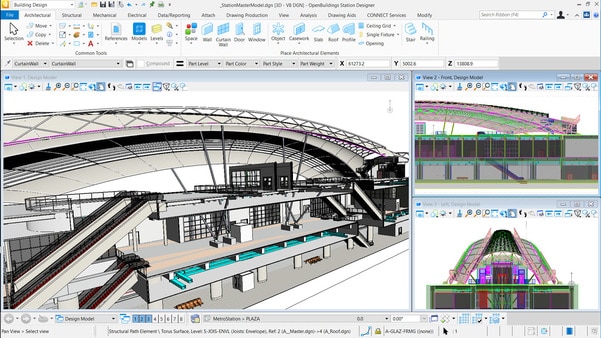
"description": "MicroStation is the instrument professionals rely on to design, model, and manage infrastructure.\nIt’s more sophisticated than a tool, it’s an accessible instrument that offers power, control, efficiency, and security. It enables users to deliver innovative designs and creative visualizations and consolidates critical project elements in a single environment for effective, secure project deliverables.\n\nWith MicroStation, you can:\n\nModel anything, anywhere with geospatial context\nCreate conceptual and detailed drafting, drawing, and modeling for any industry\nDesign, communicate, and deliver your infrastructure projects in a single platform\n\n\n#Develop better design, faster\nDraft in 2D: Develop precise drawings using a comprehensive set of drafting tools to efficiently create 2D geometry. Rapidly progress your designs from concept to completion using persistent constraints to maintain your design intent.\n\nModel in 3D: Develop models in real context with a wide range of 3D modeling tools. Build and edit curve, surface, mesh, feature, and solids models. Build functional and parametric components with predefined variations to simplify managing and finding many similar components.\n\nDevelop Comprehensive Model Documentation: Present documentation and related design information within the spatial context of the 3D model to significantly improve their clarity. Embed links to related Microsoft Office documents and websites. Easily navigate from content in one file or model to others.\n\nAnalyze and Visualize Models: Analyze and visualize models based on their geometry or attributes. Detect and resolve clashes; perform analysis of real-world solar exposure and shading. Apply real-time display styles to visualize models based on each object’s height, slope, aspect angle, and other embedded properties.\n\nAccelerate Workflows: Speed design tasks and related workflows with intelligent interactive snapping. Improve productivity with the AccuDraw tool for dynamic data entry with heads-up display. Customize and group tools and tasks and reduce keystrokes with keyboard position mapping and the ability to customize cursor menus.\n\nSecure your Data: Ensure that only certain individuals can view and/or edit files. You can ensure the integrity of your documents using digital signatures and control the digital rights to view, edit, print, and copy file contents, including a pre-defined expiration date when the file can be accessed\n\n#Better Inform Teams\nCreate Animations Produce realistic movies and simulations from design, construction, and operational models with the built-in VUE rendering engine. Choose from keyframe and time-based animation. Get the results you want, faster, using live on-screen animation previews and distributed network processing.\n\nCreate Lifelike Renderings Create lifelike visualizations using a built-in VUE Rendering engine. Use online and delivered libraries of physically correct materials, lighting, and rich photorealistic content (RPC). Get results faster with distributed network rendering.\n\nGenerate Intelligent Documentation Generate consistent, high-quality paper and digital deliverables such as paper plots, reports, 2D/3D PDFs, and 3D physical models. Automate and speed annotation, display styles, and reports by generating them directly from the embedded properties of objects. This automates and speeds annotation display styles, and visual reports, and gives you confidence that they will always remain in sync with the model during work in progress.\n\nCreate Your Digital Twin Easily start synchronizing your existing designs with an iModel to take advantage of a Digital Twin. Share the Digital Twin with your project team to see the latest revisions and changes to the project.\n\nReview Designs Collaboratively Work in real-time with your project team members reviewing/tracking/ resolving with the Issue Resolution Service. Identify, assign, and review the progress of revisions and changes for any type of issue that arises in the model.\n\nMaintain and Enforce Standards Ensure the proper application of organizational and project specific standards. Apply templates to control geometry and data standards such as styles for dimensions, text, lines, detail symbols, and more. Once designs are complete, use automated tools to check drawings for standards compliance.\n\n#Freedom to focus on design\nGeospatially Locate Projects Integrate geospatial information from hundreds of supported coordinate systems into your designs. Access data from OGC Web Map Servers, use realtime GPS data, Microsoft Bing maps, and create and reference geospatial PDFs.\n\nIncorporate Common Design Formats Easily read, share, and consume precise data in key industry formats such as Autodesk®’s RealDWG™ (share and consume), IFC (read), Esri SHP (read), and more. Aggregate and assemble multiple file formats including PDF, U3D, 3DS, Rhino 3DM, IGES, Parasolid, ACIS SAT, CGM, STEP AP203/AP214, STL, OBJ, VRMLWorld, SketchUp SKP, and Collada.\n\nIncorporate Referenced Design Content View and work with design information from others in real-time using live referencing of 2D/3D DGN, DWG, and large image files, refreshed on demand. You can even natively reference PDF files into your designs.\n\nIntegrate Point Clouds Easily incorporate a wide range and scale of point-cloud data into the design environment. “Visualize, render, and measure point-cloud data to better understand existing conditions and speed dimensioning and modeling.\n\nIntegrate Raster Imagery Easily incorporate raster imagery of all types, including aerial and satellite imagery, and scanned documents. Choose from dozens of supported file formats including CALS, BMP, TIF, GeoTIFF, JPG, and many more.\n\nIntegrate Reality Meshes Incorporate realistic, photo-textured 3D models or reality meshes into your designs. These highly realistic models can be used directly in the design environment as the basis for your design and construction modeling for faster and better-quality models.\n\nManage Design Changes Track and easily understand changes made to design files, even at the component level, throughout their lifecycle. View, plot, and selectively roll back any individual changes made throughout the history of a file.\n\nWork in a Personalized Environment Confidently work in the right context for each project because the required settings and standards are automatically applied. Take advantage of personalized recommendations to help you get the most from your use of the software.\n\nExtend and Customize Workflows Streamline your workflow and integrate with enterprise systems using a wide range of available tools to customize the user interface. Develop solutions using Microsoft (VBA), .NET, C++, C# as well as user-defined macros.\n\n\n\n\n\n\n\n\n\n\n\n\n\n\n\n\nVIRTUOSO SUBSCRIPTION\nStay nimble and lower costs\n",
"price": 108077.0,
"discountamount": 5000.0,
"currencycode": "INR",
"priority": 1000000,
"isfreeshipmentavailable": false,
"shipmentduration": 7,
"_keywords": null,
"isarchived": false,
"isavailable": true,
"applicationid": null,
"productindex": 45,
"imageuri": "https://productimages.withfloats.com/actual/64dcc66f08869d0001dac4aa.png",
"tileimageuri": "https://productimages.withfloats.com/tile/64dcc66f08869d0001dac4aa.png",
"images": null,
"totalqueries": 0,
"gpid": null,
"groupproductid": null,
"createdon": "2023-08-16T12:51:56.922Z",
"updatedon": "2024-04-01T12:14:26.481Z",
"buyonlinelink": null,
"producturl": "http://WWW.ADVEDUCARE.COM/products/microstation-virtuosity-annual-subscription/45",
"availableunits": -1.0,
"iscodavailable": false,
"isprepaidonlineavailable": false,
"maxcodorders": 0,
"maxprepaidonlineorders": 0,
"uniquepaymenturl": null,
"brandname": "Bentley System",
"category": "Bentley Software",
"tags": [
"Microstation",
"lidar software",
"CAD SOFTWARE"
],
"variants": false,
"keyspecification": null,
"otherspecifications": null,
"pickupaddressreferenceid": "",
"paymenttype": "UniquePaymentUrl",
"producttype": "products",
"hsncode": null,
"gstslab": 0.001,
"isnotforsale": false
},
{
"_id": "60ceec31f83dd80001112cbf",
"fptag": "EDUCAREADV",
"merchantname": null,
"customwidgets": null,
"externalsourceid": null,
"name": "STAAD Foundation Advanced- A powerful Foundation Design Software",
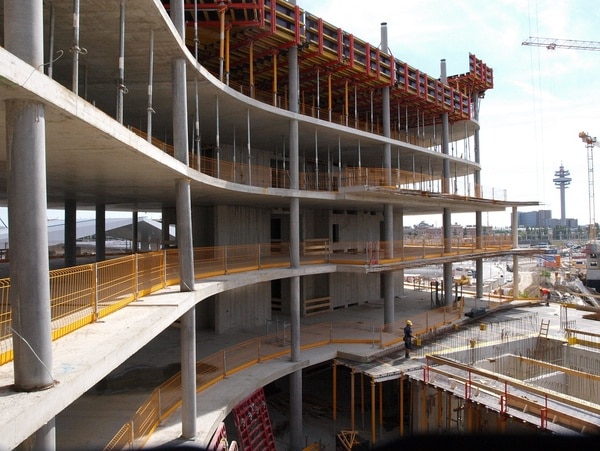
"description": "COMPREHENSIVE FOUNDATION DESIGN SOFTWARE\nFoundation Advanced provides you with a streamlined workflow through its integration with STAAD.Pro or as a stand-alone application for any type of foundation.\nGet efficient foundation design and documentation using plant-specific design tools, multiple design codes with U.S. and metric bar sizes, design optimization, and automatic drawing generation. STAAD Foundation Advanced provides you with a streamlined workflow through its integration with STAAD.Pro or as a stand-alone application. You can design virtually any type of foundation, from basic to the most complex. \nEasily model complex or simple footings, such as plant foundations supporting vertical vessels, horizontal vessels, tanks and other footings\nQuickly model common foundations such as isolated, combined, strip, pile caps, and many more \nSimplify challenging scenarios such as vibrating machine foundation, lateral analysis of piers, or mat design using FEA\nEfficiently use your structural model with the foundation model through integration with STAAD.Pro, including automatically synced changes in both models\n\nCAPABILITIES\n\n\nANALYZE GRAVITY AND LATERAL LOAD\nDesign and analyze simple or complex structures for a wide range of loading conditions, including conditions induced by gravity like dead and live loads, such as skip conditions and tilt-up walls, in combination with lateral loads like wind and seismic.\n\nANALYZE MACHINE VIBRATION AND SETTLEMENT\nAnalyze machine block foundation for dynamic loading. Leverage wizard-based input for faster FEA solids model creation, including rotating and reciprocating machines, various loading, and soil spring options. Perform in-depth analysis review using dynamic graphs and detailed formulae in reports.\n \nANALYZE STEADY STATE DYNAMIC PERFORMANCE\nIncrease performance up to 2,000 times faster with STAAD’s advanced stiffness matrix solving application. Tackle large geometric models with multiple load cases without compromising analysis quality. Achieve top-notch performance for dynamic analysis.\n\nCALCULATE PUNCHING SHEAR\nCalculate and design concrete slab/column connections for punching shear, including the effects of unbalanced joint moments.\n\nCOMPLY WITH SEISMIC REQUIREMENTS\nDesign and detail seismic force-resisting systems, generating seismic loads according to the relevant building code. Consider these forces in the design of elements and, where applicable, the design of frames and the larger structural system. Enforce the ductility requirements of the selected design code in element proportioning and detailing.\n\nDESIGN FOUNDATIONS TO INTERNATIONAL STANDARDS\nDesign a wide variety of foundations, from simple spread footings to complicated mats and specialized machinery pads. Complete your designs with confidence thanks to extensive support of international standards.\n\nDETAIL AND SCHEDULE CONCRETE REINFORCING\nProduce rebar placing drawings, including sections, plans, details, bar bending schedules, material take-offs and beam/column/footing schedules, all based on the 3D model. All schedules and drawings can be customized to adhere to your company’s standards for concrete projects.\n\nGENERATE DESIGN LOADS AND LOAD COMBINATIONS\nApply code-prescribed wind and seismic loads to the structure using built-in load generators. Calculate relevant loading parameters automatically based on the structural geometry, mass, and selected building code provisions without the need for separate hand calculations. Combine these lateral load cases with gravity and other types of loads using load combination generators.\n\nPRODUCE STRUCTURAL DESIGN DOCUMENTATION\nGenerate structural design documents including necessary plans and elevations that are used to convey the design intent. Changes made to the 3D model are automatically updated in the documentation.\nProduce structural details\nProduce detailed 2D drawings directly from design results established in the structural model. Customize the style and format of the drawings using settings offered within the software.",
"price": 150077.0,
"discountamount": 0.0,
"currencycode": "INR",
"priority": 1000000,
"isfreeshipmentavailable": false,
"shipmentduration": 7,
"_keywords": null,
"isarchived": false,
"isavailable": false,
"applicationid": null,
"productindex": 32,
"imageuri": "https://productimages.withfloats.com/actual/60ceec36a203ce0001cb6ea7.png",
"tileimageuri": "https://productimages.withfloats.com/tile/60ceec36a203ce0001cb6ea7.png",
"images": null,
"totalqueries": 0,
"gpid": null,
"groupproductid": null,
"createdon": "2021-06-20T07:20:17.951Z",
"updatedon": "2023-04-12T08:00:14.599Z",
"buyonlinelink": null,
"producturl": "http://WWW.ADVEDUCARE.COM/products/staad-foundation-advanced-a-powerful-foundation-design-software/32",
"availableunits": -1.0,
"iscodavailable": false,
"isprepaidonlineavailable": false,
"maxcodorders": 0,
"maxprepaidonlineorders": 0,
"uniquepaymenturl": null,
"brandname": "Bentley Systems",
"category": "Bentley Software",
"tags": [
"staad.pro",
"STAAD FOUNDATION ADVANCED",
"STRUCTURAL DESIGN SOFTWARE"
],
"variants": false,
"keyspecification": null,
"otherspecifications": null,
"pickupaddressreferenceid": "",
"paymenttype": "None",
"producttype": "products",
"hsncode": null,
"gstslab": 0.001,
"isnotforsale": false
},
{
"_id": "64dc81d230ccad00013c8648",
"fptag": "EDUCAREADV",
"merchantname": null,
"customwidgets": null,
"externalsourceid": null,
"name": "PLAXIS 3D-Academic Bundle",
"description": "Plaxis 3D is a geotechnical engineering software developed by Bentley Systems that is used for the analysis and simulation of complex 3D geotechnical problems. It's widely used by engineers and geotechnical professionals to model and analyze various soil and rock behavior scenarios. Here are some of the key features of Plaxis 3D:\n\n#Geotechnical Analysis: \nPlaxis 3D allows for the comprehensive analysis of geotechnical problems involving soil-structure interaction, consolidation, stress and deformation, groundwater flow, and more.\n\n#3D Modeling: \nThe software specializes in three-dimensional modeling, enabling users to accurately simulate complex geometries, soil layers, structures, and construction sequences.\n\n#Material Models: \nPlaxis 3D offers a variety of material models to simulate the behavior of soils, rocks, and other geotechnical materials under different loading conditions.\n\n#Boundary Conditions: \nUsers can define various boundary conditions including fixed, prescribed displacement, or staged construction sequences to simulate real-world scenarios accurately.\n\n#Finite Element Analysis: \nThe software uses the finite element method to discretize and analyze complex geotechnical problems, allowing for accurate representation of soil behavior.\n\n#Soil-Structure Interaction: \nPlaxis 3D facilitates the modeling of interactions between soil and structures, including retaining walls, foundations, tunnels, and excavations.\n\n#Excavation and Construction Sequences: \nEngineers can simulate construction and excavation processes, studying the behavior of soil and structures during each stage of the project.\n\n#Dynamic Analysis: \nThe software can perform dynamic analyses to study the effects of seismic loads, vibrations, and other dynamic forces on soil-structure systems.\n\n#Groundwater Flow: \nPlaxis 3D can model groundwater flow and its impact on soil behavior, helping to assess factors such as pore pressure buildup and drainage conditions.\n\n#Meshing: \nThe software provides advanced meshing capabilities to create a finite element mesh that accurately represents the geometry and material interfaces of the problem.\n\n#Visualization: \nPlaxis 3D offers visualization tools to help users understand the behavior of the geotechnical system, including deformation, stress distribution, and groundwater flow paths.\n\n#Geosynthetic and Reinforcement Modeling: \nUsers can model the behavior of geosynthetic materials, reinforcements, and geogrids to study their impact on soil stability and behavior.\n\n#Parametric Studies: \nEngineers can perform parametric studies by varying input parameters to analyze how changes in material properties, geometries, or loading conditions affect the system's response.\n\n#Results and Output: \nThe software provides comprehensive output and reporting capabilities, including graphs, contour plots, and tables that help in interpreting and communicating analysis results.\n\n#Import and Export: \nPlaxis 3D supports data exchange with other software applications, enabling users to import geometries from CAD programs and export results to further analysis tools.\n\n#Tunneling and Deep Excavations: \nThe software is particularly well-suited\n",
"price": 1345860.0,
"discountamount": 0.0,
"currencycode": "INR",
"priority": 1000000,
"isfreeshipmentavailable": false,
"shipmentduration": 7,
"_keywords": [
"users",
"mining",
"stability",
"tunneling",
"foundations",
"embankments",
"excavations",
"deformation",
"geomechanics",
"rock mechanics",
"geotechnical risk",
"trusted computation",
"geotechnical engineers",
"geoengineering projects",
"subsurface environments",
"finite element analysis",
"geo-engineering projects",
"geotechnical engineering",
"PLAXIS 3D-Academic Bundle",
"CAD-like drawing capabilities",
"user-friendly, finite element package"
],
"isarchived": false,
"isavailable": true,
"applicationid": null,
"productindex": 37,
"imageuri": "https://productimages.withfloats.com/actual/64dc81d44db8d600010a99c7.png",
"tileimageuri": "https://productimages.withfloats.com/tile/64dc81d44db8d600010a99c7.png",
"images": null,
"totalqueries": 0,
"gpid": null,
"groupproductid": null,
"createdon": "2023-08-16T07:59:14.829Z",
"updatedon": "2023-08-16T19:15:29.975Z",
"buyonlinelink": null,
"producturl": "http://WWW.ADVEDUCARE.COM/products/plaxis-3d-academic-bundle/37",
"availableunits": -1.0,
"iscodavailable": false,
"isprepaidonlineavailable": false,
"maxcodorders": 0,
"maxprepaidonlineorders": 0,
"uniquepaymenturl": null,
"brandname": "Bently",
"category": "Bentley Software",
"tags": [
"Geotechnical Software",
"BENTLEY SYSTEMS",
"plaxis 3d",
"plaxis 2d",
"Bentley software"
],
"variants": false,
"keyspecification": null,
"otherspecifications": null,
"pickupaddressreferenceid": "",
"paymenttype": "None",
"producttype": "products",
"hsncode": null,
"gstslab": 0.001,
"isnotforsale": false
},
{
"_id": "64dc809318b1700001ed941d",
"fptag": "EDUCAREADV",
"merchantname": null,
"customwidgets": null,
"externalsourceid": null,
"name": "Plaxis 2D- 15 User Academic Bundle",
"description": "PLAXIS 2D is a user-friendly, finite-element package that provides you with the ability to model diverse geotechnical problems from a single, integrated application. You can analyze the deformation and stability of projects ranging from excavations, embankments, and foundations to tunneling, mining, and geomechanics.\nPlaxis 2D is a geotechnical engineering software developed by Bentley Systems. It is used for the analysis and simulation of 2D geotechnical problems, providing a comprehensive toolset for engineers and geotechnical professionals to model and analyze various soil-structure interactions. Here are some of the key features of Plaxis 2D:\n\n#Geotechnical Analysis: \nPlaxis 2D allows for the detailed analysis of geotechnical problems involving soil behavior, consolidation, stress and deformation, groundwater flow, and more.\n\n#2D Modeling: \nThe software is specialized for two-dimensional modeling, enabling users to simulate various soil profiles, structures, and construction sequences in a simplified plane.\n\n#Material Models: \nPlaxis 2D offers a wide range of material models to simulate the behavior of soils, rocks, and other geotechnical materials under different loading and environmental conditions.\n\n#Boundary Conditions: \nUsers can define different types of boundary conditions to simulate real-world scenarios accurately, including fixed boundaries, prescribed displacements, and staged construction sequences.\n\n#Finite Element Analysis: \nPlaxis 2D employs the finite element method to discretize and analyze complex geotechnical problems, allowing for an accurate representation of soil behavior.\n\n#Soil-Structure Interaction: \nThe software facilitates the modeling of interactions between soil and structures such as retaining walls, foundations, embankments, and excavations.\n\n#Excavation and Construction Sequences: \nEngineers can simulate construction and excavation processes, observing how soil and structures respond at each stage of the project.\n\n#Groundwater Flow: \nPlaxis 2D can model groundwater flow and its influence on soil behavior, aiding in the assessment of factors like pore pressure changes and drainage conditions.\n\n#Dynamic Analysis: \nThe software allows for dynamic analyses, helping users understand the effects of seismic loads, vibrations, and other dynamic forces on soil-structure systems.\n\n#Meshing: \nPlaxis 2D provides meshing tools to create a finite element mesh that accurately represents the geometry and material interfaces of the problem.\n\n#Visualization: \nThe software offers visualization tools to help users interpret the behavior of the geotechnical system, including deformation, stress distribution, and groundwater flow paths.\n\n#Geosynthetic and Reinforcement Modeling: \nUsers can model the behavior of geosynthetic materials, reinforcements, and geogrids to study their impact on soil stability and behavior.\n\n#Parametric Studies: \nEngineers can perform parametric studies by varying input parameters to analyze how changes in material properties, geometries, or loading conditions affect the system's response.\n\n#Results and Output: \nPlaxis 2D provides comprehensive output and reporting capabilities, including graphs, contour plots, and tables that assist in interpreting and communicating analysis results.\n\n#Import and Export: \nThe software supports data exchange with other applications, allowing users to import geometries from CAD programs and export results to further analysis tools.\n\n#Slope Stability Analysis: \nPlaxis 2D is particularly useful for analyzing slope stability, assessing factors like soil strength, groundwater seepage, and external loading.\n\nPlaxis 2D is a versatile tool that empowers geotechnical engineers to model, simulate, and analyze the behavior of geotechnical systems in two dimensions, aiding in the design and execution of various construction and infrastructure projects.\n",
"price": 660480.0,
"discountamount": 0.0,
"currencycode": "INR",
"priority": 1000000,
"isfreeshipmentavailable": false,
"shipmentduration": 7,
"_keywords": [
"mining",
"ability",
"projects",
"tunneling",
"deformation",
"excavations",
"embankments",
"foundations",
"geomechanics",
"Plaxis 2D- Academic",
"diverse geotechnical problems",
"single, integrated application",
"user-friendly, finite-element package"
],
"isarchived": false,
"isavailable": true,
"applicationid": null,
"productindex": 36,
"imageuri": "https://productimages.withfloats.com/actual/64dc809737d291000135f193.png",
"tileimageuri": "https://productimages.withfloats.com/tile/64dc809737d291000135f193.png",
"images": null,
"totalqueries": 0,
"gpid": null,
"groupproductid": null,
"createdon": "2023-08-16T07:53:55.195Z",
"updatedon": "2023-08-16T19:20:43.328Z",
"buyonlinelink": null,
"producturl": "http://WWW.ADVEDUCARE.COM/products/plaxis-2d-15-user-academic-bundle/36",
"availableunits": -1.0,
"iscodavailable": false,
"isprepaidonlineavailable": false,
"maxcodorders": 0,
"maxprepaidonlineorders": 0,
"uniquepaymenturl": null,
"brandname": "Bentley ",
"category": "Bentley Software",
"tags": [
"Geotechnical Software",
"BENTLEY SYSTEMS",
"plaxis 3d",
"plaxis 2d",
"Bentley software"
],
"variants": false,
"keyspecification": null,
"otherspecifications": null,
"pickupaddressreferenceid": "",
"paymenttype": "None",
"producttype": "products",
"hsncode": null,
"gstslab": 0.001,
"isnotforsale": false
},
{
"_id": "60ceeda10f1ecb0001228fcb",
"fptag": "EDUCAREADV",
"merchantname": null,
"customwidgets": null,
"externalsourceid": null,
"name": "OpenBridge Designer-Make your Bridge Design Easy!",
"description": "THE APPLICATION CONSOLIDATES THE MODELING CAPABILITIES OF OPENBRIDGE MODELER AND THE ANALYSIS AND DESIGN FEATURES OF LEAP BRIDGE CONCRETE, LEAP BRIDGE STEEL, RM BRIDGE, RM BRIDGE ADVANCED AND RM BRIDGE ENTERPRISE TO MEET THE DESIGN AND CONSTRUCTION NEEDS OF ALL TYPES OF BRIDGES. OPENBRIDGE DESIGNER-MAKE YOUR BRIDGE DESIGN EASY!\n\nWith OpenBridge Designer, you have the advantage of using a single comprehensive package from beginning to end of any bridge design project. You can use one product to create an interoperable physical and analytical model for both steel and concrete bridges that can be utilized throughout the lifecycle of the bridge. OpenBridge Designer uses bridge information modelling (BrIM), the advanced methodology for the bridge design and construction industry.\n\n\nWe are pleased to announce the consolidation of Bentley’s bridge software, forming the new OpenBridge Designer CONNECT Edition. The application consolidates the modeling capabilities of OpenBridge Modeler and the analysis and design features of LEAP Bridge Concrete, LEAP Bridge Steel, RM Bridge, RM Bridge Advanced and RM Bridge Enterprise to meet the design and construction needs of all types of bridges.\n\nWith OpenBridge Designer, you have the advantage of using a single comprehensive package from beginning to end of any bridge design project. You can use one product to create an interoperable physical and analytical model for both steel and concrete bridges that can be utilized throughout the lifecycle of the bridge. OpenBridge Designer uses bridge information modelling (BrIM), the advanced methodology for the bridge design and construction industry.\n\n\nCAPABILITIES\n\n\nANALYZE, DESIGN, AND RATE BRIDGES\nStreamline bridge modeling, analysis, and load-rating for both existing and new bridges with an integrated toolset. Leverage various international design code specifications and rating methodologies for verification.\nCAPTURE ROADWAY GEOMETRY AND TOPOGRAPHY\nReuse civil data obtained directly from Bentley road products such as GEOPAK, Bentley InRoads, or MXROAD, and import roadway information and ground data from LandXML files.\nCOORDINATE MULTI-DISCIPLINE BRIDGE TEAMS\nExchange project information including bridge geometry, materials, loads, prestressing strand pattern, and shear reinforcement to improve decision making. Streamline engineering content management with real-time collaboration and share, reuse, and repurpose data throughout the bridge lifecycle to minimize risk of design error and construction issues.\nDESIGN AND ANALYZE CONCRETE BRIDGES\nIntelligently manage your data and streamline the process of modeling, analysis, design code checking, detailed design reports, and automated drawings. Support everyday concrete bridges of all types, including precast and cast-in-place, reinforced, pre-tensioned, and post-tensioned. Support multiple design codes, including US AASHTO LRFD and LFD, Canadian CHBDC, and Indian IRC Working Stress and Limit States Design.\nDESIGN AND ANALYZE STEEL BRIDGES\nModel, design, analyze, and load-rate and optimize steel I-girder and tub-girder bridges using powerful analysis techniques such as Finite Element Modeling (FEM) and Response Spectrum Analysis, according to AASHTO LRFD Bridge Design specifications.\nGENERATE BRIDGE PROJECT DELIVERABLES\nGenerate detailed reports. Create 3D models and 2D drawings for sections, elevations, and framing plans.\nInteroperate with detailing applications\nDevelop detailed rebar designs, including bar marks, schedules, quantities, and drawings by connecting to ProStructures.\nMANAGE BRIDGE PROJECT CHANGES\nRespond to project changes by effortlessly updating the intelligent bridge model and leveraging built-in parametric relationships between bridge components.\nPERFORM BRIDGE CLASH DETECTION\nMitigate risk by performing conflict analysis of the bridge structure with existing infrastructure to save time, eliminate building errors, and reduce project costs. View clashes in 3D or in table format. Detect clashes with reinforcing steel and other embedments. Check for required minimum clearances between adjacent structures and roadways.\nPUBLISH I-MODELS\nExchange project models and information using i-models. With i-models, you can implement unique and powerful workflows for information sharing, distribution, and design review. These workflows can be further enhanced using ProjectWise and other products and services that leverage the power of i-models.\nSEQUENCE CONSTRUCTION AND PHASING\nInvestigate the different stages in stage-wise construction – comparing results, detecting the relevant states, and producing result envelopes for proof checking. Account for creep, shrinkage, and relaxation and solve problems before construction begins.\nVISUALIZE BRIDGE DESIGNS\nExperience instantaneous 3D visualization of the bridge superstructure and substructure. Visualize designs and rapidly verify modeling input as you work. View in-profile, elevation, and cross-section views with solid and transparent view options to help explore areas with complex geometry.",
"price": 1037167.0,
"discountamount": 103717.0,
"currencycode": "INR",
"priority": 1000000,
"isfreeshipmentavailable": false,
"shipmentduration": 7,
"_keywords": null,
"isarchived": false,
"isavailable": false,
"applicationid": null,
"productindex": 33,
"imageuri": "https://productimages.withfloats.com/actual/60ceeda349b34500012df7b4.jpg",
"tileimageuri": "https://productimages.withfloats.com/tile/60ceeda349b34500012df7b4.jpg",
"images": null,
"totalqueries": 0,
"gpid": null,
"groupproductid": null,
"createdon": "2021-06-20T07:26:25.512Z",
"updatedon": "2023-04-12T07:05:58.3Z",
"buyonlinelink": null,
"producturl": "http://WWW.ADVEDUCARE.COM/products/openbridge-designer-make-your-bridge-design-easy-/33",
"availableunits": -1.0,
"iscodavailable": false,
"isprepaidonlineavailable": false,
"maxcodorders": 0,
"maxprepaidonlineorders": 0,
"uniquepaymenturl": null,
"brandname": "Bentley Systems",
"category": "Bentley Software",
"tags": [
"Open Bridge Designer",
"OpenBridge",
"Bentley system"
],
"variants": false,
"keyspecification": null,
"otherspecifications": null,
"pickupaddressreferenceid": "",
"paymenttype": "None",
"producttype": "products",
"hsncode": null,
"gstslab": 0.001,
"isnotforsale": false
},
{
"_id": "5c37324fcab9a8000140e6ae",
"fptag": "EDUCAREADV",
"merchantname": null,
"customwidgets": null,
"externalsourceid": null,
"name": "OpenBuildings Designer- Building Information Modelling Make Easy.",
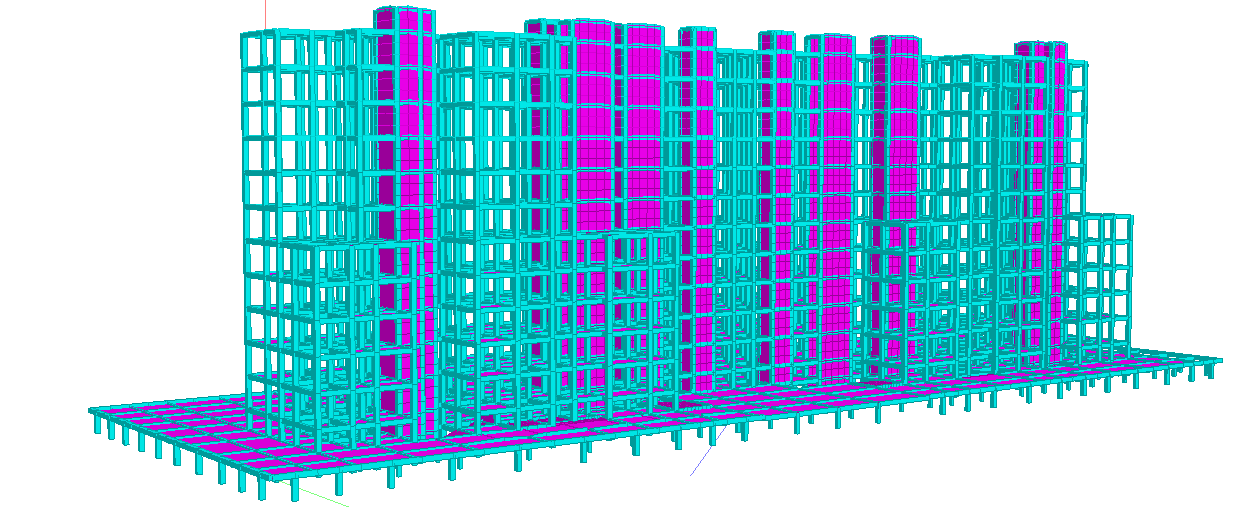
"description": "MULTIDISCIPLINE BUILDING DESIGN SOFTWARE\n\nOpenBuildings Designer- Building Information Modelling Make Easy. Effectively communicate design intent and bridge barriers between building disciplines and geographically distributed teams. \n\nOpenBuildings Designer (formerly AECOsim Building Designer) provides building information modeling (BIM) advancements so you can deliver buildings faster and with greater confidence – \n\n\n\nInteroperability: Integrate information you have from multiple formats and easily work on projects of any size \nInformation-rich deliverables: Clearly communicate your design intent with reliable deliverables that you can easily customize \nUnrestrictive design environment: Model anything with total freedom from buildings with simple to highly complex geometry and designs\nBuilding performance: Simulate buildings and predict real-world performance of the asset quickly and with precision to explore various options for iterative refinement\nDesign, analyze, document, and visualize buildings of any size, form, and complexity. Effectively communicate design intent and bridge barriers between building disciplines and geographically distributed teams. OpenBuildings Designer (formerly AECOsim Building Designer) provides building information modeling (BIM) advancements so you can deliver buildings faster and with greater confidence – confidence in your design, workflow, capabilities, and deliverables. \n\nCAPABILITIES\n\n\nANALYZE BUILDING SYSTEM PERFORMANCE\nSimulate real-world performance and evaluate building system performances so you can quickly discover the best design choices. Inform early design decisions with conceptual energy analysis that provides peak loads, annual energy calculations, energy consumptions, carbon emissions, and fuel costs.\n\nCOLLABORATE ACROSS MULTI-DISCIPLINE TEAMS\nIncludes capabilities for architectural, electrical, mechanical, and structural systems design in one application. Coordinate your designs better thanks to a common design environment and a streamlined workflow. Resolve clashes with built-in clash detection and share mark-ups of models and documentation across teams to reduce project errors.\n\nDESIGN BUILDINGS AND FACILITIES\nDevelop and design buildings and facilities of any size and complexity with comprehensive architectural tools. Produce coordinated architectural documentation directly from the building model. Create floor plans, sections, elevations, and schedules for any architectural component.\n\nDESIGN BUILDING STRUCTURES\nModel steel, concrete, and timber structures from walls, foundations, and columns to other structural components. Produce plans, framing layouts, sections, and elevations. Integrate with detailing applications including Bentley's ProStructures.\n\nDESIGN MEP SYSTEMS\nDesign complex mechanical, electrical, and plumbing (MEP) systems. Model fully parametric air-handling, piping, and plumbing systems. Design lighting, power, fire-detection, and other electrical subsystems.\n\nGENERATE BUILDING DOCUMENTATION AND REPORTS\nProduce high-quality and reliable documents directly from your intelligent building model. Ensure that drawings are up to date and accurately represent your design by publishing design model views. Link specifications, engineering calculations, and equipment documentation to models and drawings to support building operations.\n\nREFINE DESIGN ALTERNATIVES\nIterate designs quickly by dynamically modeling or manipulating geometry. Discover more possibilities and explore a broad range of \"what-if\" alternatives in less time. Design with freedom and model anything of any form, size, and complexity without restrictions and limitations.\n\nVISUALIZE BUILDING DESIGNS\nProduce visualizations of models and further refine potential designs. Generate images and animations with life-like detail and high-end photo-realistic renderings with no need for additional software.",
"price": 380000.0,
"discountamount": 5000.0,
"currencycode": "INR",
"priority": 1000000,
"isfreeshipmentavailable": false,
"shipmentduration": 7,
"_keywords": null,
"isarchived": false,
"isavailable": false,
"applicationid": null,
"productindex": 20,
"imageuri": "https://productimages.withfloats.com/actual/60ce1bf5f44ada000174b037.jpeg",
"tileimageuri": "https://productimages.withfloats.com/tile/60ce1bf5f44ada000174b037.jpeg",
"images": null,
"totalqueries": 0,
"gpid": null,
"groupproductid": null,
"createdon": "2019-01-10T11:53:51.002Z",
"updatedon": "2021-06-19T16:31:45.187Z",
"buyonlinelink": null,
"producturl": "http://WWW.ADVEDUCARE.COM/products/openbuildings-designer-building-information-modelling-make-easy-/20",
"availableunits": -1.0,
"iscodavailable": false,
"isprepaidonlineavailable": false,
"maxcodorders": 0,
"maxprepaidonlineorders": 0,
"uniquepaymenturl": null,
"brandname": "Bentley Systems",
"category": "Bentley Software",
"tags": [
"POWER RAIL TRACK",
"BENTLEY",
"MXROAD",
"STAAD PRO",
"OPENRAIL",
"OPENROAD",
"OPENRAIL DESIGNER",
"MXRAIL",
"RAIL TRACK",
"RAIL TRACK SOFTWARE",
"BENTLEY MXRAIL",
"RAIL ALIGNMENT SOFTWARE",
"DESIGN ANA ANALYSIS SOFTWARE",
"OpenBuilding"
],
"variants": false,
"keyspecification": null,
"otherspecifications": null,
"pickupaddressreferenceid": "",
"paymenttype": "UniquePaymentUrl",
"producttype": "products",
"hsncode": null,
"gstslab": 0.0,
"isnotforsale": false
},
{
"_id": "5c3329d3e53adf000157286a",
"fptag": "EDUCAREADV",
"merchantname": null,
"customwidgets": null,
"externalsourceid": null,
"name": "Structural Enterprise Bundle (ALL Bentley STAAD & RAM Products)",
"description": "Included Products in STRUCTURAL ENTERPRISE BUNDLE-\n1. STAAD.Pro Advanced\n 1.1 STAAD.Pro\n 1.2 Advanced Analysis\n 1.3 Advanced Concrete Design (RCDC)\n2. STAAD Foundation Advanced\n3. RAM Structural System\n 3.1 RAM Steel\n 3.2 RAM Frame Analysis\n 3.3 RAM Frame Steel Design\n 3.4 RAM Concrete\n 3.5 RAM Foundation\n4. RAM Concept\n5. RAM Concept Post Tension\n6. RAM Elements\n7• RAM Connection\n8• Microstran.Advanced\n9• Microstran Design Code\n10• Limcon\n11• Limcon Design Code\n12• RCDC-FE\n13• Structural Synchronizer\n\nUse what you want, when you want it, with our bundled software suite of STAAD, RAM, and Microstran. These applications have been proven worldwide for decades in the design of infrastructure projects both large and small. You get reduced upfront costs, simplified business transactions, and the power of interoperability at your fingertips. Benefits to you include: \n1. Complete workflows\n2. Greater reuse of information\n3. Unlimited access for each user\n4. Lower cost of ownership\n\nWith Structural Enterprise, you can design in any infrastructure sector, with multiple materials, using any analysis method that is appropriate for the job. Structural Enterprise helps you: \n1. Design structural components such as timber members, trusses, masonry walls, concrete tilt-up walls, retaining walls, and foundations using RAM Elements.\n2. Design industrial and civil structures using STAAD.Pro Advanced, RAM Connection, and STAAD Foundation Advanced.\n3. Design multi-story concrete buildings using RAM Frame Analysis, RAM Concrete, RAM Concept, and RAM Foundation.\n4. Design multi-story steel buildings using RAM Steel, RAM Frame Analysis, RAM Frame Steel Design, RAM Connection, and RAM Foundation.\n5. Design industrial structures using Microstran, Limcon, and STAAD Foundation Advanced.\n\n",
"price": 461152.0,
"discountamount": 10000.0,
"currencycode": "INR",
"priority": 1000000,
"isfreeshipmentavailable": false,
"shipmentduration": 7,
"_keywords": null,
"isarchived": false,
"isavailable": false,
"applicationid": null,
"productindex": 17,
"imageuri": "https://productimages.withfloats.com/actual/60ce20010a84d2000139fb59.jpeg",
"tileimageuri": "https://productimages.withfloats.com/tile/60ce20010a84d2000139fb59.jpeg",
"images": null,
"totalqueries": 0,
"gpid": null,
"groupproductid": null,
"createdon": "2019-01-07T10:28:35.231Z",
"updatedon": "2023-08-16T06:02:26.395Z",
"buyonlinelink": null,
"producturl": "http://WWW.ADVEDUCARE.COM/products/structural-enterprise-bundle-all-bentley-staad-ram-products-/17",
"availableunits": -1.0,
"iscodavailable": false,
"isprepaidonlineavailable": false,
"maxcodorders": 0,
"maxprepaidonlineorders": 0,
"uniquepaymenturl": null,
"brandname": "Bentley Systems",
"category": "Bentley Software",
"tags": [
"STAAD PRO ADVANCED",
"STAAD PRO",
"RCDC",
"STRUCTURAL ENTERPRISE",
"RCDC FE",
"STAAD FOUNDATION ADVANCED",
"STRUCTURAL DESIGN SOFTWARE",
"E-TEB",
"STAAD PRO CONNECT EDITION",
"BENTLEY",
"E-TAB",
"BUY STAAD PRO",
"CONNECT EDITION"
],
"variants": false,
"keyspecification": null,
"otherspecifications": null,
"pickupaddressreferenceid": "",
"paymenttype": "UniquePaymentUrl",
"producttype": "products",
"hsncode": null,
"gstslab": 0.0,
"isnotforsale": false
},
{
"_id": "5b6b3a6d17b6bc0566d8a0d4",
"fptag": "EDUCAREADV",
"merchantname": null,
"customwidgets": null,
"externalsourceid": null,
"name": "Ram Connection",
"description": "RAM Connection can be used stand alone or fully integrated with RAM Structural System, RAM Elements, and STAAD.Pro® for steel connection design. Powerful connection check or design in seconds. To check a specific connection, design a single connection for multiple joints or optimize each connection in your structure, RAM Connection gets you there quicker than ever before. Integrated Modeling and Documentation Workflows The CONNECT Edition provides a common environment for comprehensive project delivery and connects users, projects, and your enterprise. With the CONNECT Edition, you now have a personal portal to access learning, communities, and project information. You can also share personal files including i-models and PDFs directly from your desktop with other users, or stage them for easy access from a Bentley mobile app, such as Structural Navigator. With the new project portal, your project teams can review project details and status, and gain visibility into project performance. With the CONNECT Edition, your project team may also wish to take advantage of the new ProjectWise® Connection Services including Project Performance Dashboards, Issues Resolution, and Scenario Services. Automated Connection Design Designing, checking, and optimizing shear, moment, gusset, splice, bracket, and base plate connections, according to AISC (ASD or LRFD), EN 1993, BS 5950 and GB 50017, has never been this automated. Designers can assign connections directly to the fi nite element model and have RAM Connection automatically consider member geometric and material properties – and analytical results – to choose the desired connection. The engineer has unlimited flexibility to check a specific connection or optimize all connections individually or in groups. Integrated Connection Design RAM Connection is the first fully integrated steel connection design and optimization tool in the industry. RAM Connection works as a stand-alone program or can be integrated with RAM Elements, STAAD.Pro, and RAM Structural System. Provides Unlimited Flexibility Your own office standards, rules of thumb, or connection expertise can be brought together into the connection designs because RAM Connection allows you to customize a vast part of the design. You can also choose from our large database of predefined connections to meet your design needs. RAM Connection goes even further by providing reports with explicit equations and references to the design standard. A myriad of connections at your fingertips whether you are designing a shear connection (shear tab, clip angle, end plate), a moment connection (flange plates, directly welded flanges), a combined connection (extended end plate) or a gusset connection for braces, RAM Connection is all you need. All design checks are done for you immediately so comparing different connection options for a particular problem is easy. Cutting-edge Graphics RAM Connection also raises the bar with its breakthrough graphics. This feature allows accurate 3D views of fit-up and clearance to ensure your structure will work and reduce on-site connection issues. Details Produced Automatically RAM Connection saves you time and increases your accuracy by generating your details directly from your designs through a DXF output file. Easily Handles Changes RAM Connection can easily handle changes that occur during the life cycle of your project. RAM Connection saves you time even when making sweeping changes to your designs. Seismic Design Included To address ever-changing and time-consuming code requirements, RAM Connection includes AISC seismic provision checks in your designs.\n \nRAM Connection at-a-glance\n \nModeling\n \nUse wide flange beams, wide flange, or HSS columns and virtually any steel section(s) for braces\nBeam-to-column connections (flange or web)\nBeam-to-girder connections\nBeam-to-beam connections\nBeam and column splices\nBrackets\nBase plate design including Anchors\nGusset plates for bracing connections\nExtensive, customizable database of connections provided\nGenerate new connections using the program interface or using Microsoft Excel\n \nControl dozens of design parameters such as:\n \n» Plate dimensions\n \n» Welds (type, size, electrode series, length, etc.)\n \n» Bolts (size, material, N, X, slip critical, hole types, etc.)\n \n» Doublers and stiffeners dimensions\n \n» Top and bottom beam copes\n \n» Sloped and skewed connections\n \nDesign\n \nDesign per AISC 360-05 or 10 (ASD or LRFD)\nDesign per AISC 341-05 or 10 seismic provisions\nMost AISC 358-05 & 10 prequalified moment connections included\nAnchor bolt design per ACI 318-08 Appendix D Design per EN 1993 (EC3) Design per GB 50017-2003\nDesign per BS5950-1:2000\nVerify existing connections\nOptimize connections with our advance algorithms or from your own pre-selected list Output and Documentation\nDesign/check one connection at a time or hundreds at once\nOutput and documentation\nOn-screen verification of connection results\n3D realistic views\n3D transparent views to avoid joint conflicts\nDXF drawing generation\nDXF export to CAD",
"price": 170087.0,
"discountamount": 5000.0,
"currencycode": "INR",
"priority": 1000000,
"isfreeshipmentavailable": false,
"shipmentduration": 7,
"_keywords": [
"specific connection",
"connection expertise",
"RAM Structural System",
"base plate connections",
"Graphics RAM Connection",
"Powerful connection check",
"different connection options",
"AISC seismic provision checks",
"comprehensive project delivery",
"Connection Design RAM Connection",
"integrated steel connection design",
"10 prequalified moment connections",
"Easily Handles Changes RAM Connection",
"Automated Connection Design Designing",
"Details Produced Automatically RAM Connection"
],
"isarchived": false,
"isavailable": false,
"applicationid": null,
"productindex": 13,
"imageuri": "https://productimages.withfloats.com/actual/60ce32e00b7e900001c1adac.jpeg",
"tileimageuri": "https://productimages.withfloats.com/tile/60ce32e00b7e900001c1adac.jpeg",
"images": null,
"totalqueries": 0,
"gpid": null,
"groupproductid": null,
"createdon": "2018-03-15T11:25:35.21Z",
"updatedon": "2023-08-16T06:04:48.758Z",
"buyonlinelink": null,
"producturl": "http://WWW.ADVEDUCARE.COM/products/ram-connection/13",
"availableunits": -1.0,
"iscodavailable": false,
"isprepaidonlineavailable": false,
"maxcodorders": 0,
"maxprepaidonlineorders": 0,
"uniquepaymenturl": null,
"brandname": "Bentley Systems",
"category": "Bentley Software",
"tags": [],
"variants": false,
"keyspecification": null,
"otherspecifications": null,
"pickupaddressreferenceid": "",
"paymenttype": "UniquePaymentUrl",
"producttype": "products",
"hsncode": null,
"gstslab": 0.0,
"isnotforsale": false
},
{
"_id": "5b6b3a6d17b6bc0566d8a096",
"fptag": "EDUCAREADV",
"merchantname": null,
"customwidgets": null,
"externalsourceid": null,
"name": "SewerGems Perpetual License- 1000 Pipes",
"description": "Modeling Software for Sanitary and Combined Sewers\n \nIf building and preparing your sewer models feels like a never-ending task, SewerGEMS software is for you.\n \nSewerGEMS streamlines the modeling process, so that you have more time for solving wastewater engineering problems, such as improving capacity and limiting sewer overflows, which ultimately enable utilities to comply with sewer regulations set by regulatory agencies.\n \nFor more than three decades, SewerGEMS has provided utilities and wastewater professionals like you with advanced engineering tools to plan, design, maintain, and operate sanitary and combined sewer systems, including:\n \nEngineering decision guidance tools: Leverage SewerGEMS’ what-if scenario management tools to gain a better understanding of the behavior of your wastewater system, improving decision making and response time.\nImproved model accuracy: A well calibrated model decreases the risks of making poor decisions by ensuring that the model uses the best available data. SewerGEMS calibration tools such as SCADA integration enable you to rely on your model results.\nIncreased information mobility: SewerGEMS’ full GIS, CAD, and SCADA interoperability enables the cost-effective sharing and flow of information between utilities’ design, engineering, GIS, and operation departments, and their consultants. You can leverage the data that the utility invested in once and reuse across departments.\nSewerGEMS is a superset of SewerCAD.\n \nCAPABILITIES\n \nAllocate and estimate sanitary loads\n \nApply hydrographs, patterned loads, and unit loads using a comprehensive and customizable engineering library. Use the LoadBuilder module to leverage consumption, flow monitoring, land use, or census data in your GIS to automatically estimate and import sanitary loads for your sewer model.\nAllocate and estimate stormwater loads\n \nLoad models with wet weather runoff flows derived from precipitation using the built-in rainfall distributions or user-defined rainfall events. Runoff flows are computed using the most appropriate runoff method for the project.\nAnalyze hydraulics and combined sewer overflows\n \nEasily switch among multiple solvers according to the type of system you are analyzing: Saint Venant equations, convex/gradually varied flow solver (steady-state analysis for extreme flow conditions and extended period simulations), and rational/gradually varied flow solver.\nAnalyze hydrogen sulfide formation\n \nIdentify areas in your network that are at risk of damage from hydrogen sulfide (H2S) formation, which can lead to potential collapses if not addressed. Produce average concentration runs, display result maps of the network, and compare H2S formation according to various conditions such as temperature.\nAnalyze inlet capacities\n \nCalculate the proportion of stormwater runoff that will enter an inlet versus the proportion that will be carried downstream in a gutter or pond on the road surface. Quickly confirm that the spread of flow in a gutter doesn’t exceed design requirements.\nBuild and manage hydraulic models\n \nJumpstart the model-building process and manage your model effectively, so that you can focus on making the best engineering decisions. Leverage and import virtually any external data format, which maximizes ROI on geospatial and engineering data, and automate terrain extraction and node allocation.\nDesign and analyze culverts\n \nSelect from a library of standard culvert shapes, materials, and entrance conditions, then compute culvert headwater and tailwater elevations using calculation methodologies outlined in Hydraulic Design Series Number 5 from the U.S. Federal Highway Administration.\nDesign and analyze low impact development controls\n \nModel the effect that low impact development controls have in retaining runoff before it enters the stormwater system.\nDesign and analyze pond and outlets\n \nLeverage PondMaker’s guiding process through the confusing maze of pond design steps by following the step-by-step process that provides constant feedback on how the design is progressing. Set the maximum outflow rate, estimate storage, and check the outlet design and final design.\nDesign sanitary sewers\n \nMinimize capital investments by simply entering your design restrictions: velocities, slopes, cover depths, and pipe and manhole matching offsets. SewerCAD/SewerGEMS recommends the most cost-effective pipe sizes and invert elevations, avoiding unnecessary pipe trench excavation, while meeting design restrictions.\nDesign stormwater systems\n \nMinimize capital investments by simply entering your design restrictions: velocities, slopes, cover depths, and pipe and inlet matching offsets. The software product recommends the most cost-effective pipe sizes and invert elevations, avoiding unnecessary pipe trench excavation, while meeting design restrictions.\nSimulate water quality\n \nSimulate the generation, inflow, and transportation and treatment of any number of user-defined pollutants, such as total suspended solids or heavy metals.",
"price": 892507.0,
"discountamount": 10000.0,
"currencycode": "INR",
"priority": 1000000,
"isfreeshipmentavailable": false,
"shipmentduration": 7,
"_keywords": [
"pond design steps",
"design restrictions",
"import sanitary loads",
"extreme flow conditions",
"appropriate runoff method",
"scenario management tools",
"advanced engineering tools",
"SewerGEMS calibration tools",
"Produce average concentration",
"analyze low impact development",
"wastewater engineering problems",
"low impact development controls",
"customizable engineering library",
"Hydraulic Design Series Number 5",
"unnecessary pipe trench excavation"
],
"isarchived": false,
"isavailable": false,
"applicationid": null,
"productindex": 6,
"imageuri": "https://productimages.withfloats.com/actual/5aaa54e0c9e1f50adc6038d1.jpg",
"tileimageuri": "https://productimages.withfloats.com/tile/5aaa54e0c9e1f50adc6038d1.jpg",
"images": null,
"totalqueries": 0,
"gpid": null,
"groupproductid": null,
"createdon": "2018-03-15T11:11:29.006Z",
"updatedon": "2023-08-16T06:19:19.92Z",
"buyonlinelink": null,
"producturl": "http://WWW.ADVEDUCARE.COM/products/sewergems-perpetual-license-1000-pipes/6",
"availableunits": -1.0,
"iscodavailable": false,
"isprepaidonlineavailable": false,
"maxcodorders": 0,
"maxprepaidonlineorders": 0,
"uniquepaymenturl": null,
"brandname": "Bentley Systems",
"category": "Bentley Software",
"tags": [
"openflow",
"SewerGEMS"
],
"variants": false,
"keyspecification": null,
"otherspecifications": null,
"pickupaddressreferenceid": "",
"paymenttype": "UniquePaymentUrl",
"producttype": "products",
"hsncode": null,
"gstslab": 0.0,
"isnotforsale": false
}
],
"hasmoreitems": false,
"isapirequest": false,
"totalresults": 27,
"query": null,
"floatingpoint": null
}